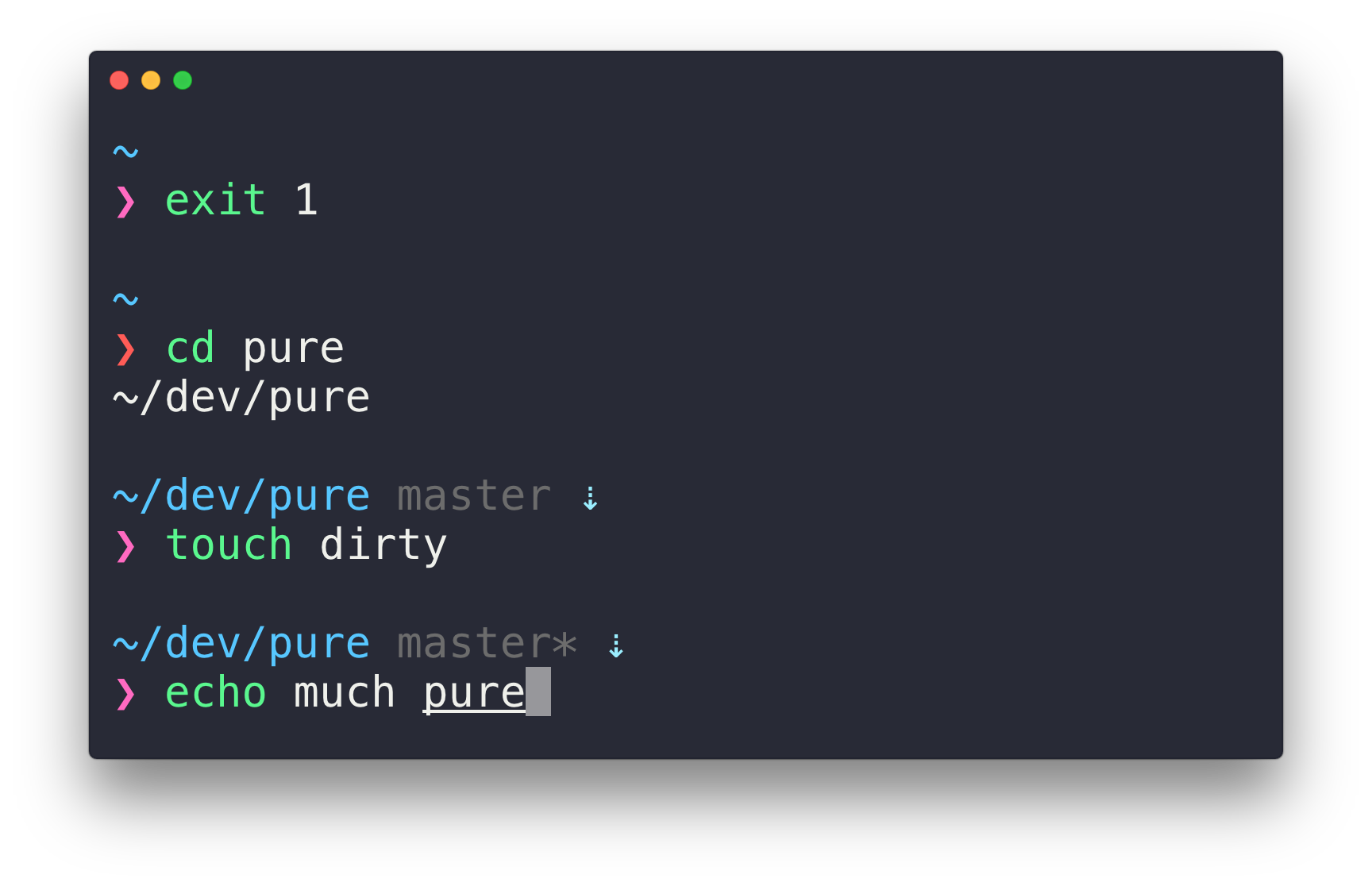
Powerlevel10k can generate the same prompt as Pure.
git clone https://github.com/romkatv/powerlevel10k.git ~/powerlevel10k
echo 'source ~/powerlevel10k/powerlevel10k.zsh-theme' >>! ~/.zshrc

| # This command moves your zsh dotfiles (.zshrc, .zsh_history, etc.) | |
| # from the home directory to ~/.config/zsh. It's been verified to | |
| # work correctly if you are using zsh4humans. With other zsh configs | |
| # your mileage may vary. | |
| # | |
| # How to: | |
| # | |
| # 1. Close all terminals except one. | |
| # 2. Copy-paste this command into the only remaining terminal. | |
| () { |
| function prompt_my_msa() { | |
| p10k segment -e -t '$my_msa_content' -b black -f white | |
| (( $+my_msa_content )) && return | |
| typeset -g my_msa_content | |
| local -r msa=~/minimal_spectrum_analyzer/build/analyzer | |
| [[ -x $msa ]] || return | |
| local fd | |
| exec {fd}< <("$msa" --line_feed LF -a off -c 16 0<&- 2>&- &!) || return |
| function metronome() { | |
| local -rF tick_sec=0.3 | |
| while true; do | |
| zselect -t $((int(ceil(tick_sec * 100)))) | |
| print 2>/dev/null || break | |
| done | |
| } | |
| function update-prompt() { | |
| local -ri period=7 |
| # Example of two-line ZSH prompt with four components. | |
| # | |
| # top-left top-right | |
| # bottom-left bottom-right | |
| # | |
| # Components can be customized by editing set-prompt function. | |
| # | |
| # Installation: | |
| # | |
| # (cd && curl -fsSLO https://gist.githubusercontent.com/romkatv/2a107ef9314f0d5f76563725b42f7cab/raw/two-line-prompt.zsh) |
| # Make zsh start INSTANTLY with this one weird trick. | |
| # | |
| # https://asciinema.org/a/274255 | |
| # | |
| # HOW TO USE | |
| # | |
| # 1. Download this script. | |
| # | |
| # curl -fsSL -o ~/instant-zsh.zsh https://gist.github.com/romkatv/8b318a610dc302bdbe1487bb1847ad99/raw | |
| # |
| # Runs "$@" in a subshell with the caller's options, sets reply=(stdout stderr) | |
| # and returns the status of the executed command. Both stdout and stderr are | |
| # captured completely, including NUL bytes, incomplete UTF-8 characters and | |
| # trailing LF, if any. | |
| # | |
| # Example: | |
| # | |
| # % zsh-run-command ls -d ~ /garbage | |
| # % printf 'status: %s\nstdout: %s\nstderr: %s\n' $? "${(q+)reply[@]}" | |
| # status: 2 |
Powerlevel10k can generate the same prompt as Pure.
git clone https://github.com/romkatv/powerlevel10k.git ~/powerlevel10k
echo 'source ~/powerlevel10k/powerlevel10k.zsh-theme' >>! ~/.zshrc
| # Powerlevel10k configuration file restricted to 8-color ASCII. Produced by | |
| # running `p10k configure` while at 1387763f2719661dc7e43e86a5bfd24cc357d6a0 | |
| # and then editing ~/.p10k.zsh. Configuration wizard header follows. | |
| # | |
| # Generated by Powerlevel10k configuration wizard on 2019-11-12 at 08:45 CET. | |
| # Based on romkatv/powerlevel10k/config/p10k-lean.zsh, checksum 11792. | |
| # Wizard options: compatible, lean, 2 lines, disconnected, no frame, sparse, concise. | |
| # Type `p10k configure` to generate another config. | |
| # Temporarily change options. |
| # Config for Powerlevel10k ZSH theme (https://github.com/romkatv/powerlevel10k/) that emulates | |
| # the appearance of Bar ZSH theme (https://github.com/anki-code/zsh-bar-theme). | |
| () { | |
| emulate -L zsh | |
| setopt no_unset | |
| # Unset all configuration options. | |
| unset -m 'POWERLEVEL9K_*' | |
| typeset -g POWERLEVEL9K_LEFT_PROMPT_ELEMENTS=( |
| #!/bin/bash | |
| # | |
| # This script installs patched Meslo Powerline font family on Windows. | |
| # The fonts are installed for the current user only. The script must be | |
| # run from WSL. | |
| # | |
| # bash -c "$(curl -fsSL https://gist.githubusercontent.com/romkatv/aa7a70fe656d8b655e3c324eb10f6a8b/raw/install_meslo_wsl.sh)" | |
| # | |
| # If you just want the font files, they are in | |
| # https://github.com/romkatv/dotfiles-public/tree/master/.local/share/fonts/NerdFonts. |