Skip to content

Instantly share code, notes, and snippets.

@LinLinSunPro
LinLinSunPro / aw-dashboard-mockup.html
Created April 15, 2026 14:37
AW KPI Dashboard - Screen 1 Mockup (source)
<!DOCTYPE html>
<html lang="en">
<head>
<meta charset="UTF-8">
<meta name="viewport" content="width=device-width, initial-scale=1.0">
<title>Abraham Watkins — KPI Dashboard</title>
<style>
* { margin: 0; padding: 0; box-sizing: border-box; }
body { font-family: -apple-system, BlinkMacSystemFont, 'Segoe UI', sans-serif; background: #0b0d13; color: #e0e0e0; }
@LinLinSunPro
LinLinSunPro / data-pipeline-comparison.html
Created April 15, 2026 14:37
AW KPI Dashboard - Pipeline Comparison (source)
<!DOCTYPE html>
<html lang="en">
<head>
<meta charset="UTF-8">
<meta name="viewport" content="width=device-width, initial-scale=1.0">
<title>AW KPI Dashboard — Data Pipeline Options</title>
<style>
* { margin: 0; padding: 0; box-sizing: border-box; }
body {
font-family: -apple-system, BlinkMacSystemFont, 'Segoe UI', sans-serif;
@LinLinSunPro
LinLinSunPro / bulk-edit-row.md
Created April 11, 2026 08:17
MFG Portal — Bulk Edit Row

MFG Portal — Bulk Edit Row

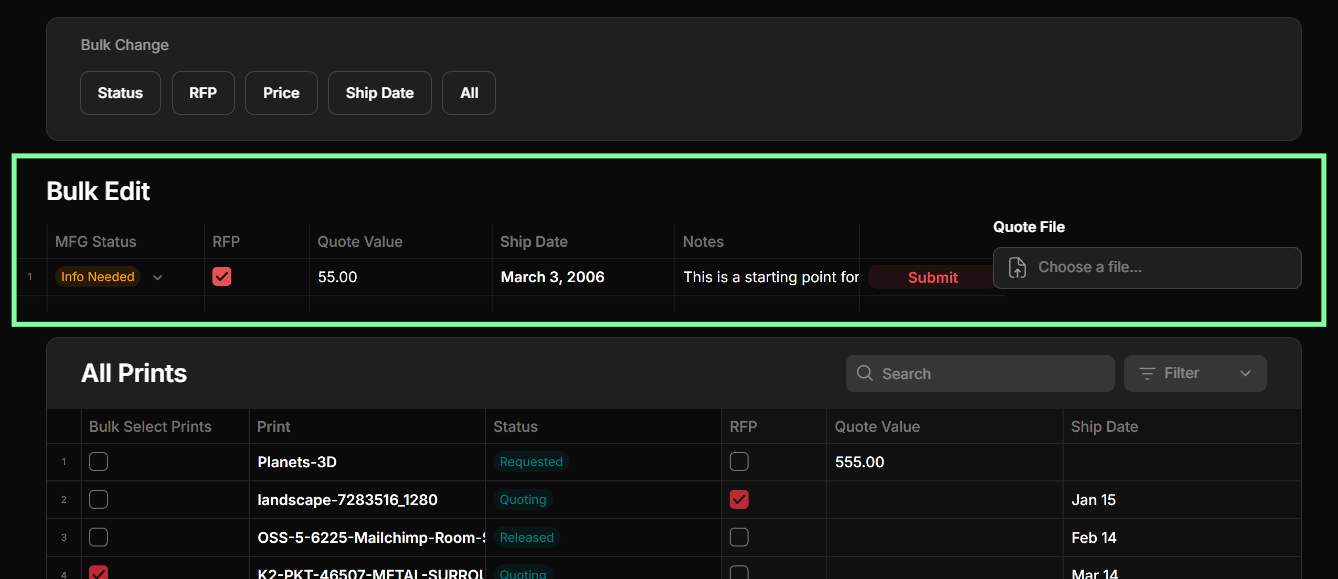
Bulk Edit row with Prints table below

How It Works

The Prints table is read-only — no inline editing. To update prints, the user works with the Bulk Edit row above the table.

  1. Select — check one or more prints in the "Bulk Select Prints" column
  2. Fill — enter the desired values in the Bulk Edit row (MFG Status, RFP, Quote Value, Ship Date, Notes, Quote File)
@LinLinSunPro
LinLinSunPro / mfg-ui-logic.md
Created April 10, 2026 17:17
MFG Portal — UI Logic for Prints v2

MFG Portal — UI Logic

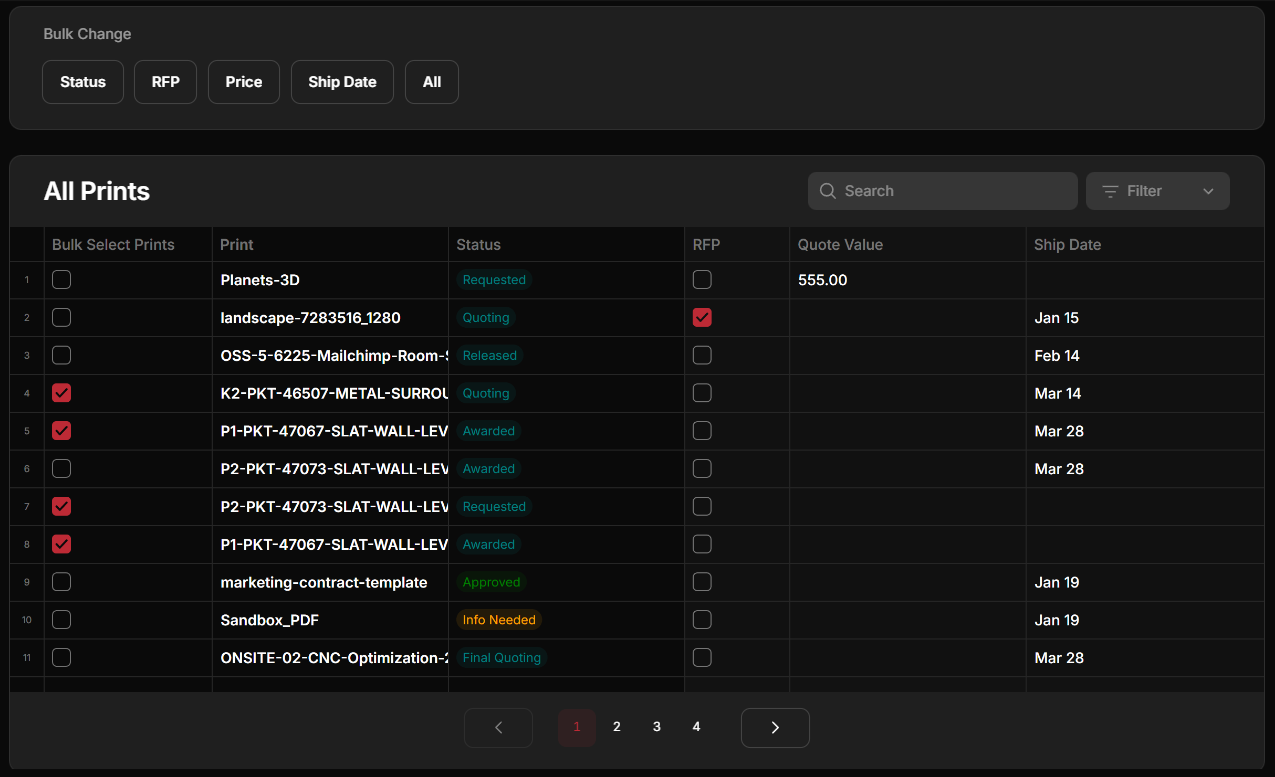
Prints Table

Prints table with bulk change buttons

User selects prints using checkboxes in the "Bulk Select Prints" column.

Above the table: Bulk Change bar with buttons — Status, RFP, Price, Ship Date, All. The individual field buttons (Status, RFP, Price, Ship Date) are not working yet — they are placeholders to decide if they are needed. The only working button is All.