
-
-
Save Spencer-Easton/78f9867a691e549c9c70 to your computer and use it in GitHub Desktop.
| function exportSpreadsheet() { | |
| //All requests must include id in the path and a format parameter | |
| //https://docs.google.com/spreadsheets/d/{SpreadsheetId}/export | |
| //FORMATS WITH NO ADDITIONAL OPTIONS | |
| //format=xlsx //excel | |
| //format=ods //Open Document Spreadsheet | |
| //format=zip //html zipped | |
| //CSV,TSV OPTIONS*********** | |
| //format=csv // comma seperated values | |
| // tsv // tab seperated values | |
| //gid=sheetId // the sheetID you want to export, The first sheet will be 0. others will have a uniqe ID | |
| // PDF OPTIONS**************** | |
| //format=pdf | |
| //size=0,1,2..10 paper size. 0=letter, 1=tabloid, 2=Legal, 3=statement, 4=executive, 5=folio, 6=A3, 7=A4, 8=A5, 9=B4, 10=B5 | |
| //fzr=true/false repeat row headers | |
| //portrait=true/false false = landscape | |
| //fitw=true/false fit window or actual size | |
| //gridlines=true/false | |
| //printtitle=true/false | |
| //pagenum=CENTER/UNDEFINED CENTER = show page numbers / UNDEFINED = do not show | |
| //attachment = true/false dunno? Leave this as true | |
| //gid=sheetId Sheet Id if you want a specific sheet. The first sheet will be 0. others will have a uniqe ID. | |
| // Leave this off for all sheets. | |
| // EXPORT RANGE OPTIONS FOR PDF | |
| //need all the below to export a range | |
| //gid=sheetId must be included. The first sheet will be 0. others will have a uniqe ID | |
| //ir=false seems to be always false | |
| //ic=false same as ir | |
| //r1=Start Row number - 1 row 1 would be 0 , row 15 wold be 14 | |
| //c1=Start Column number - 1 column 1 would be 0, column 8 would be 7 | |
| //r2=End Row number | |
| //c2=End Column number | |
| var ssID = "12g8-tcRwFkcL7El...XdQAzSR7v8-geIR6r-IY"; | |
| var url = "https://docs.google.com/spreadsheets/d/"+ssID+"/export"+ | |
| "?format=pdf&"+ | |
| "size=0&"+ | |
| "fzr=true&"+ | |
| "portrait=false&"+ | |
| "fitw=true&"+ | |
| "gridlines=false&"+ | |
| "printtitle=true&"+ | |
| "sheetnames=true&"+ | |
| "pagenum=CENTER&"+ | |
| "attachment=true"; | |
| var params = {method:"GET",headers:{"authorization":"Bearer "+ ScriptApp.getOAuthToken()}}; | |
| var response = UrlFetchApp.fetch(url, params).getBlob(); | |
| // save to drive | |
| DriveApp.createFile(response); | |
| //or send as email | |
| /* | |
| MailApp.sendEmail(email, subject, body, { | |
| attachments: [{ | |
| fileName: "TPS REPORT" + ".pdf", | |
| content: response.getBytes(), | |
| mimeType: "application/pdf" | |
| }] | |
| });}; | |
| */ | |
| } |

basetoad
commented
Nov 4, 2022
via email

Thanks for your message @Yagisanatode , but i believe i have found the answer . but forgot what's the code is. i will share here once i remember.
I have been racking my brain trying to figure this out myself. I would be forever in your debt if you could post this information once you find it. I have tried several different combinations to try and get the date/time footer to show, but no luck. Thanks in advance for any assistance you can provide!
@Yagisanatode @robertcragg I did some digging across the interwebs and worked it out, hope this helps someone out there:
printdate=true/falseprinttime=true/falsetimestamp=[0, X) where x is a non-negative number - not sure what the maximum value allowed is (I'll leave this as homework for the next contributor 😉). Required if eitherprintdate/printtimeare set totrue. Value represents the "1900 Spreadsheet Date System" timestamp, based in UTC.
Some additional remarks on the timestamp
- Note that the timestamp here is the weird Sheets / Excel format (based on the historical spreadsheet "epoch")
- Google Sheets docs here suggest that the earliest date possible is (1/1/1900), but you'll observe that if you write the formula
=DATE(0,1,-1)in Google Sheets, you'll get30/12/1899. Similarly, if you format a cell with the value0via menu optionFormat > Number > Date, you'll see30/12/1899. This matches exactly with what theexportAPI returns. - For those curious, some digging reveals its probably historically related to this, some commentary available here
- Some JavaScript code to help with the conversions (painful, but necessary for me working with Apps Script)
function SpreadsheetTimestampToJSDate(timestamp) {
  return new Date(Math.round((timestamp - 25569)*86400*1000));
}

function JSDateToSpreadsheetTimestamp(date) {
  return (date.valueOf() / (86400*1000)) + 25569;
}
- Note that I haven't been able to find a timezone option; by default the date is rendered in UTC. So if you want local time, you'll need to add the offset - e.g. for
GMT+11:00, useSpreadsheetTimestampToJSDate(new Date(new Date().valueOf() + 11 * 3600000))
Thanks for tuning in, bye!

Does anyone know how to export a specific range in a spreadsheet as a PNG and not PDF? Many thanks in advance!

I couln't find official support documentation around the filesize limitations for blob. Anyone knows (related to GAS)?

export a specific range
  //r1=Start Row number - 1        row 1 would be 0 , row 15 wold be 14
  //c1=Start Column number - 1     column 1 would be 0, column 8 would be 7
  //r2=End Row number
  //c2=End Column number
a spreadsheet as a PNG
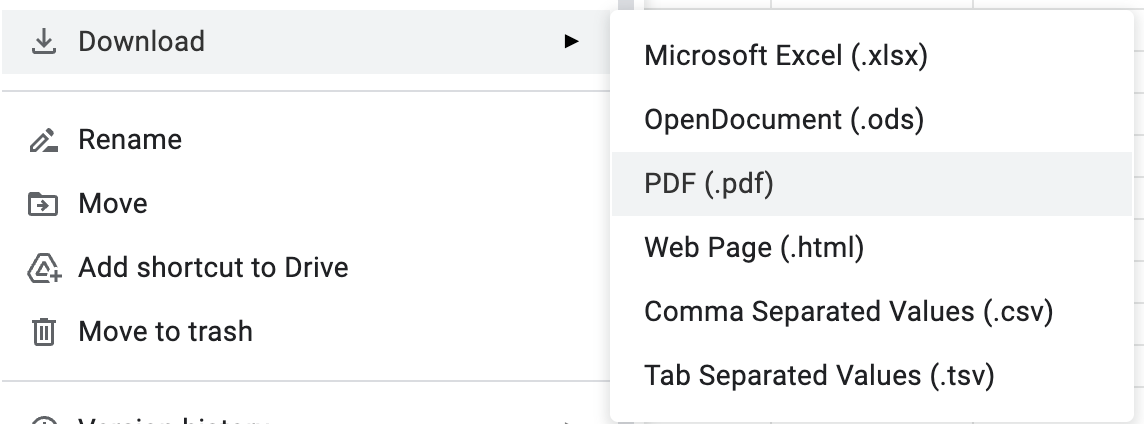
Is it possible?

does anyone know a key for including/excluding notes? They seem to be included by default (opposite of what happens when you ctrl+P on google sheets).
Figured it out -- includenotes=false

Very helpful ! There's a GAS sample that provides similar info, albeit without explanations.
Would anyone know how custom page breaks are set via this API ?

pagenum can be LEFT or RIGHT too

Can anyone help point out where I can manage the PDF file name? Ideally, I'd like to incorporate the value of a cell into the file name. Don't seem to be able to find where through some trial and error. This may not be the right place. Any help is appreciated!
I have not found one. In case it helps, it seems as though the filename is a combination of Spreadsheet (Book) name, and Sheet name that is bring printed so conceptually "Spreadsheet - Sheet.pdf"

@techdoneforyou - Thank you very much! That's what I needed!

Great script Spencer - just curious if you had time to reverse engineering Custom Page breaks in Google Sheets and how to export the sheets to PDFs using Custom Page Breaks. Many thanks.