
Docker.app will complain about incompatible processor, so we will use Docker Machine.
Download Docker for Mac (Docker.app). It contains some binaries that are necessary.
brew install virtualbox docker-machine

# Normally, those links are created automatically by running Docker.app,
# but it quits on us too early, so we need to do this manually
ln -s "/Applications/Docker.app/Contents//Resources/bin/docker-compose" /usr/local/bin/docker-compose
ln -s "/Applications/Docker.app/Contents//Resources/bin/docker-credential-desktop" /usr/local/bin/docker-credential-desktop
ln -s "/Applications/Docker.app/Contents//Resources/bin/docker-credential-osxkeychain" /usr/local/bin/docker-credential-osxkeychain
You can also use brew to install docker and doccker-compose and it should work without linking above.
docker-machine create
eval $(docker-machine env)
docker run hello-world
docker-compose up


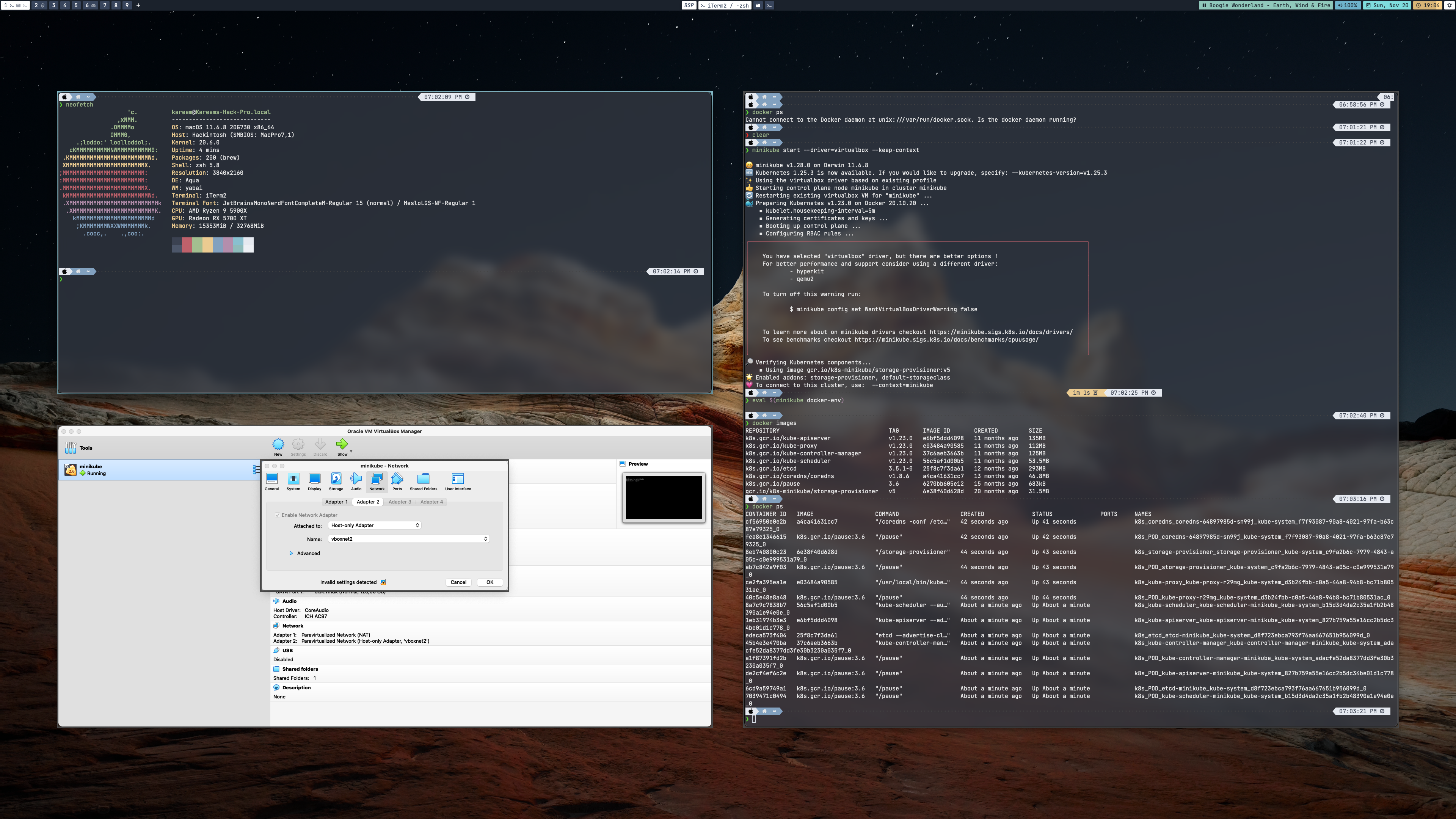





Since docker-machine is deprecated and archived, I recommend using minikube with virtualbox driver instead.
Installing
minikubeanddocker:brew install minikube dockerCreating the
kubernetscluster using thevirtualboxdriver:minikube start --driver=virtualbox --keep-contextConfigures the Docker CLI in your current shell to use the minikube's docker:
eval $(minikube docker-env)To use
docker-composejust install it via homebrew:brew install docker-composeIf you want to access a served application on a container (
localhost:8080/route), you'll need the minikube IP to access it, usinglocalhostwon't work. And to retrieve the IP is just like that:minikube ipYou can set this IP on
/etc/hoststo access applications without typing the IP.Now you can use
dockerwithout any problems on your Ryzentosh.